Introduction
Official documentation says it is possible to transfer the ownership of Copilot Notebooks (Actually, the user-owned SharePoint embedded container) to another user; the other option is to manually preserve the content by having someone manually copy what needs to be kept (this involves adding another user as a custodian).
I wanted to understand how the transfer ownership scenario looks in practice, so let’s do it.
How it looks before transferring ownership
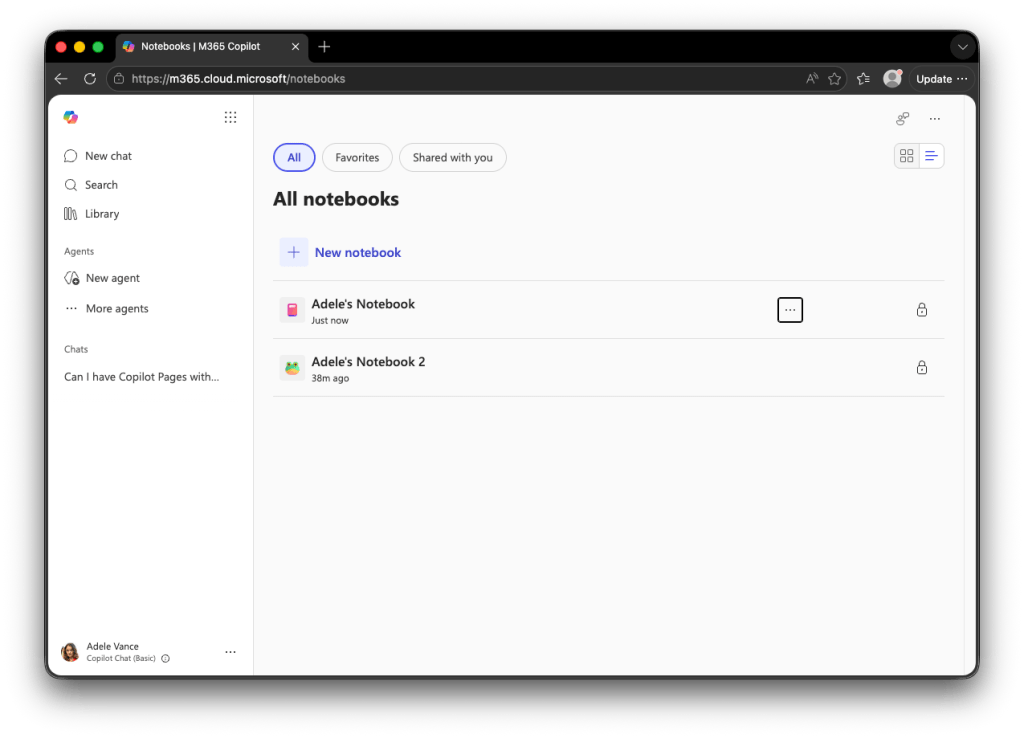
Adele, our sample user, has created two Copilot Notebooks; they contain Pages and reference other Microsoft 365 documents. This is how it looks from the Copilot Notebooks UI:
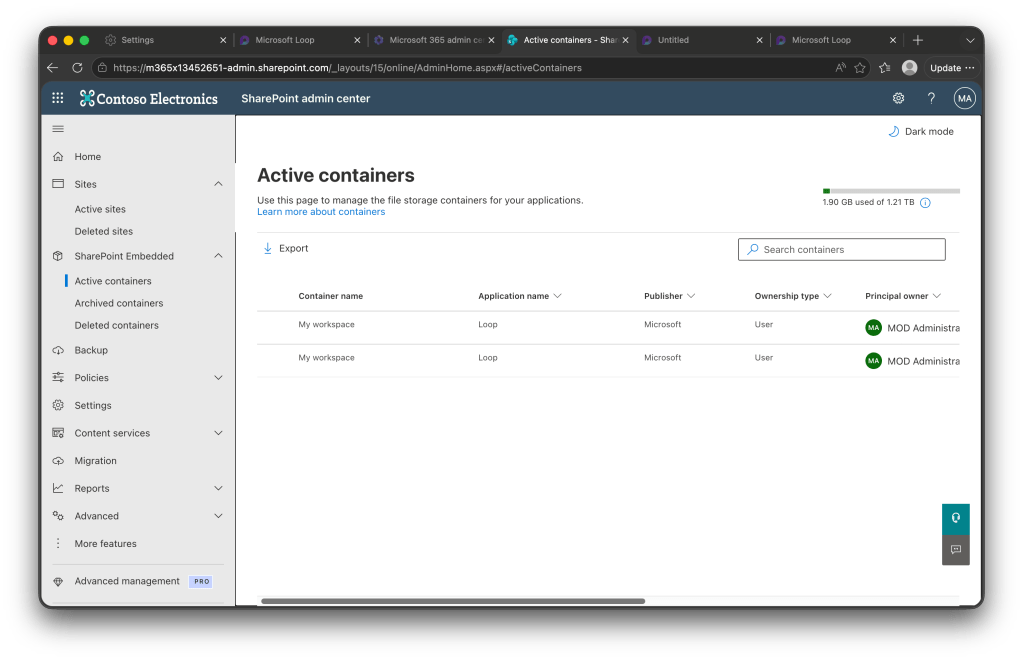
From the SharePoint Admin center, the user-owned container is listed like this:
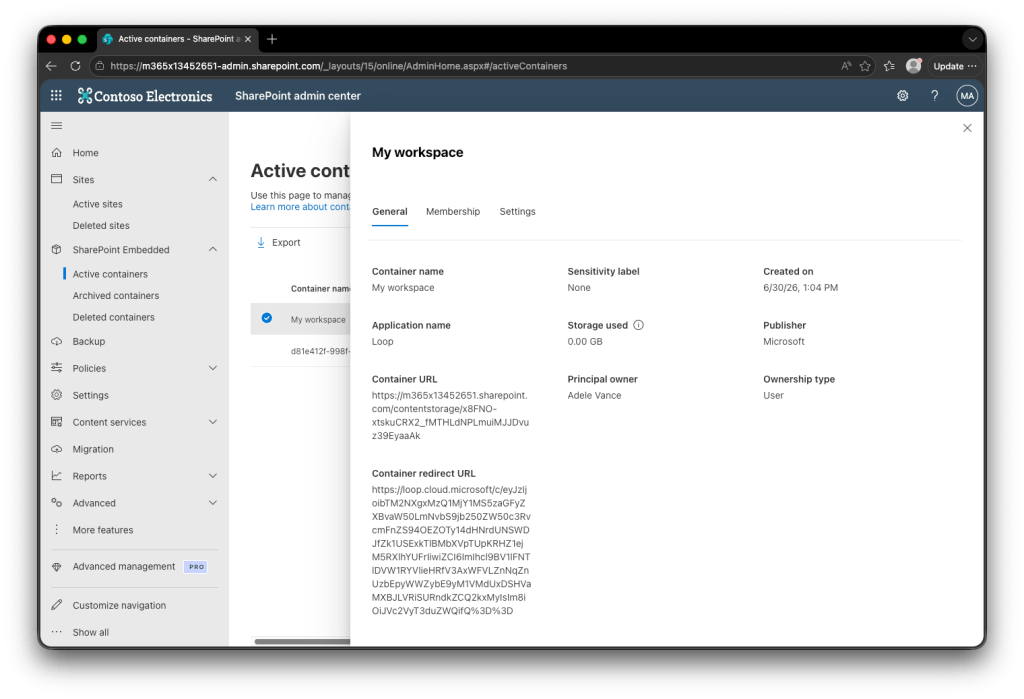
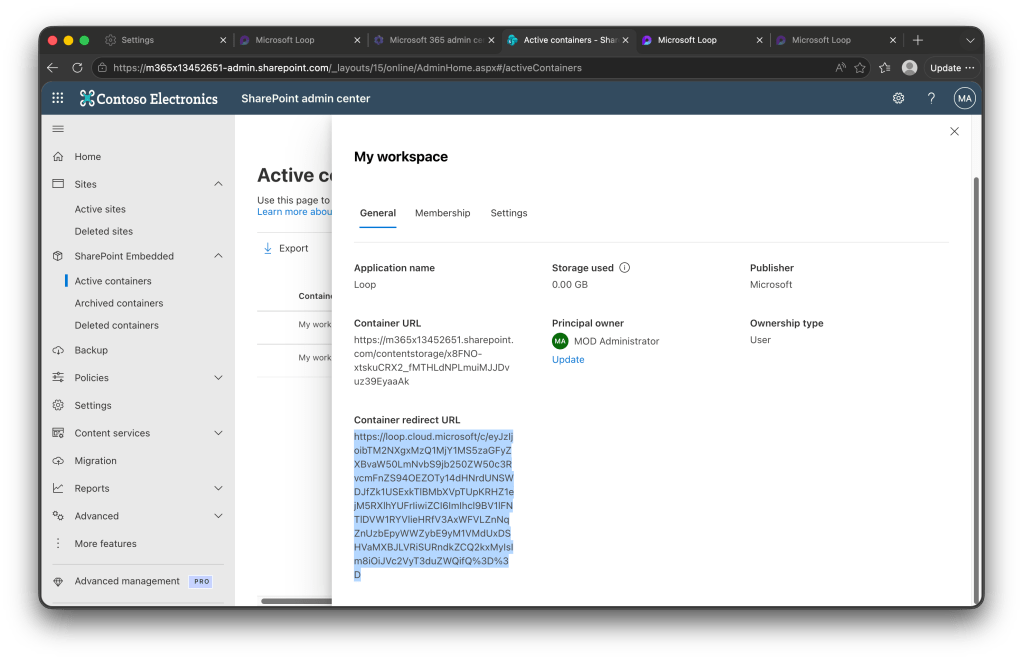
Take a look at the Container redirect URL attribute. Where is this URL taking us?:
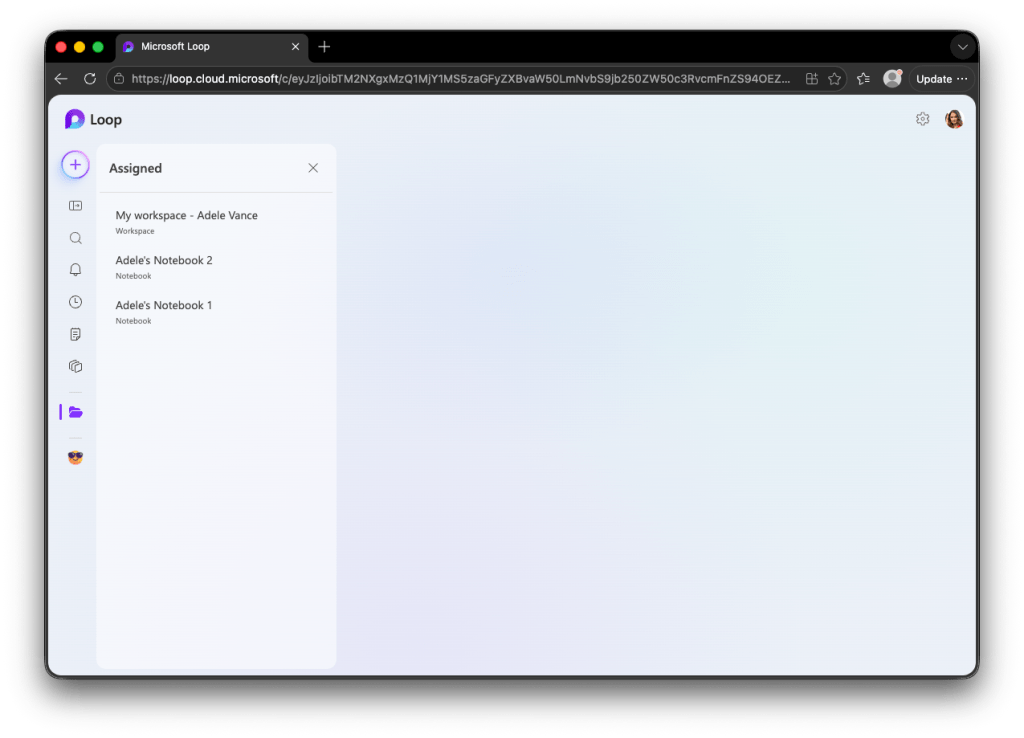
That confirms that, inside the user-owned container, both the Loop My Workspace and Copilot Notebooks live.
How to transfer ownership
Let’s test the Reassign the container to a new owner scenario. We will transfer Adele’s Copilot Notebooks, Pages (and My Workspace) to another user, in this case, the Global Administrator. This user already has their own user-owned container, so what will happen?
Output of Get-SPOContainer before any transfer
PS> Get-SPOContainerContainerId : b!r_AWYE59CUmQaYbxt_Wp1XUKfsjfu3lJrYfrlOr3ULuLCHuZ1pI-TbIDgvFBCi13ContainerName : My workspaceCreatedOn : 6/30/2026 8:04:31 PMStatus : ActiveSensitivityLabel :OwnersCount : 1StorageUsed : 0 GBPrincipalOwner : adelev@m365x13452651.onmicrosoft.comOwnershipType : UserOwnedContainerId : b!P1b9ge2gNEWSDfuDdOvHHnUKfsjfu3lJrYfrlOr3ULuLCHuZ1pI-TbIDgvFBCi13ContainerName : My workspaceCreatedOn : 6/30/2026 8:01:22 PMStatus : ActiveSensitivityLabel :OwnersCount : 1StorageUsed : 0 GBPrincipalOwner : admin@m365x13452651.onmicrosoft.comOwnershipType : UserOwned
Documentation says that the cmdlet to transfer ownwership is Set-SPOContainer:
Set-SPOContainer [-Identity] <SPOContainerPipeBind> -CurrentPrincipalOwner <String> -NewPrincipalOwner <String>
Running the actual cmdlet looks like this
Set-SPOContainer -Identity b!r_AWYE59CUmQaYbxt_Wp1XUKfsjfu3lJrYfrlOr3ULuLCHuZ1pI-TbIDgvFBCi13 -CurrentPrincipalOwner adelev@m365x13452651.onmicrosoft.com -NewPrincipalOwner admin@m365x13452651.onmicrosoft.com
It doesn’t return any output, but we can check again with Get-SPOContainer
PS> Get-SPOContainerContainerId : b!r_AWYE59CUmQaYbxt_Wp1XUKfsjfu3lJrYfrlOr3ULuLCHuZ1pI-TbIDgvFBCi13ContainerName : My workspaceCreatedOn : 6/30/2026 8:04:31 PMStatus : ActiveSensitivityLabel :OwnersCount : 1StorageUsed : 0 GBPrincipalOwner : admin@m365x13452651.onmicrosoft.comOwnershipType : UserOwnedContainerId : b!P1b9ge2gNEWSDfuDdOvHHnUKfsjfu3lJrYfrlOr3ULuLCHuZ1pI-TbIDgvFBCi13ContainerName : My workspaceCreatedOn : 6/30/2026 8:01:22 PMStatus : ActiveSensitivityLabel :OwnersCount : 1StorageUsed : 0 GBPrincipalOwner : admin@m365x13452651.onmicrosoft.comOwnershipType : UserOwned
Now we can see that we transferred the container that belonged to Adele to the admin user.
How it looks after transferring ownership
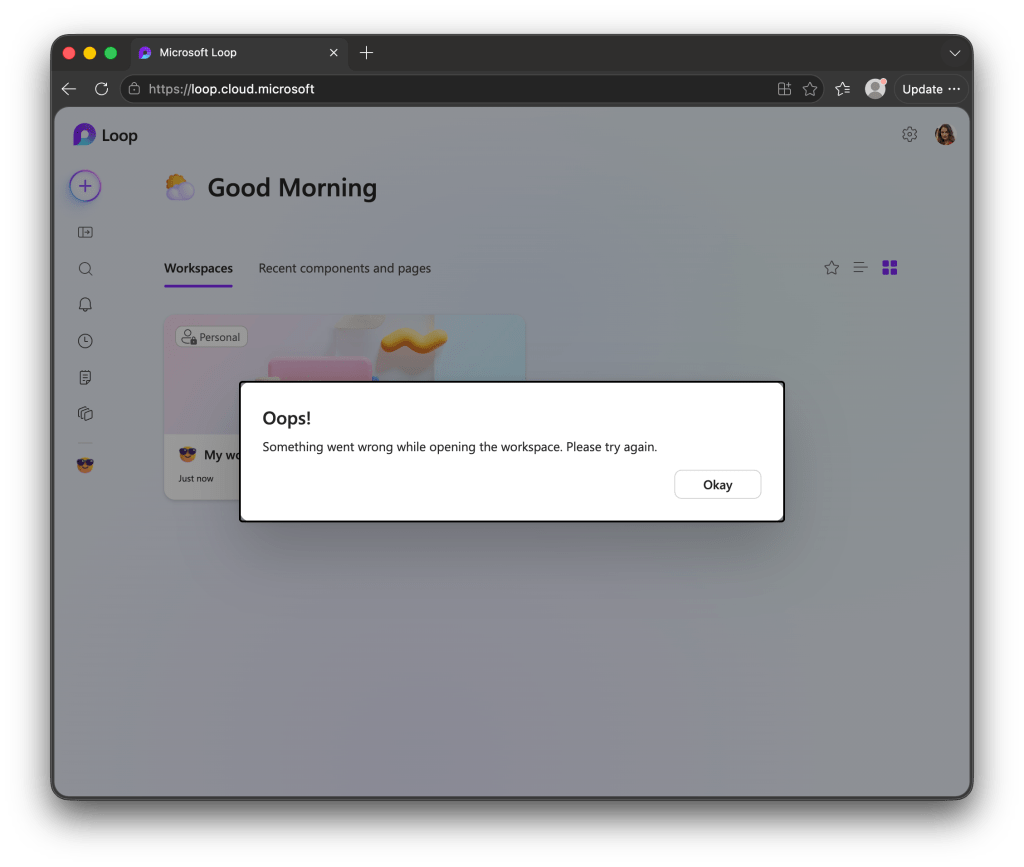
Adele, our departed user, receives an error while trying to access “My Workspace” from Microsoft Loop. This is expected, and in theory, this user won’t exist anymore in real-life scenarios, so there is no real issue here.
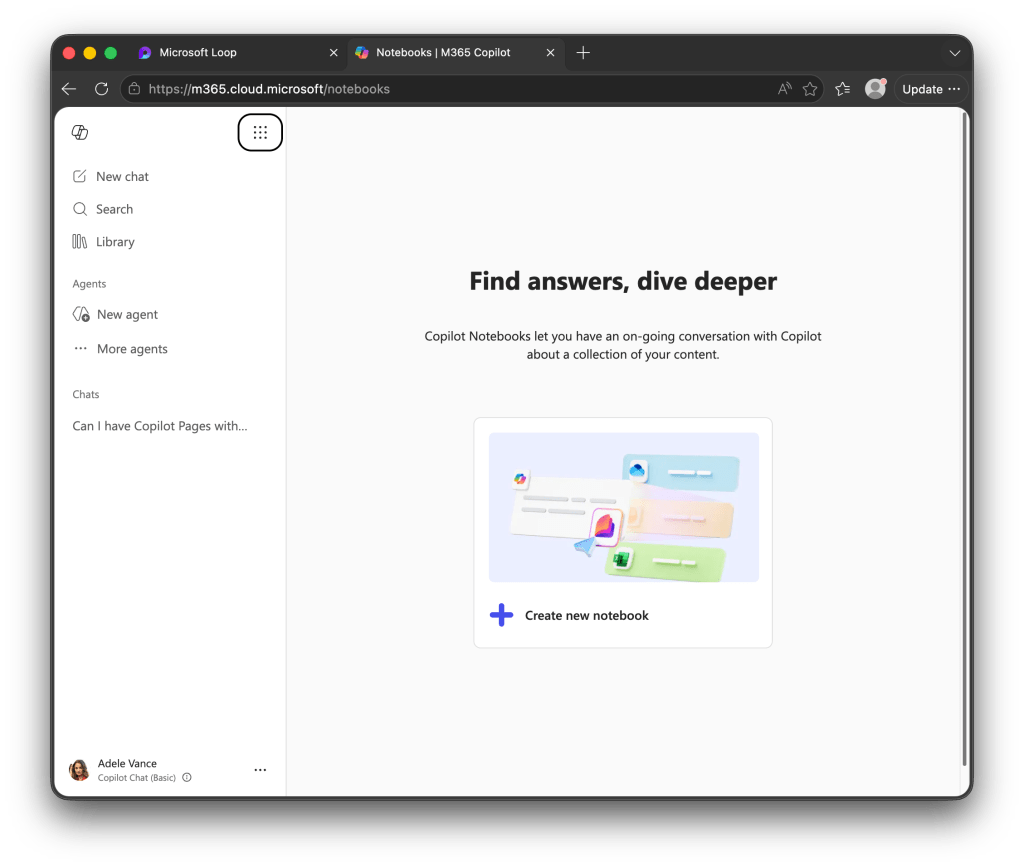
Notebooks are gone from Copilot Notebooks
From the SharePoint Admin center, we can’t tell anymore which one was the original container of Adele:
So I would recommend taking note of the Container Redirect URL before running the whole process to transfer the ownership.
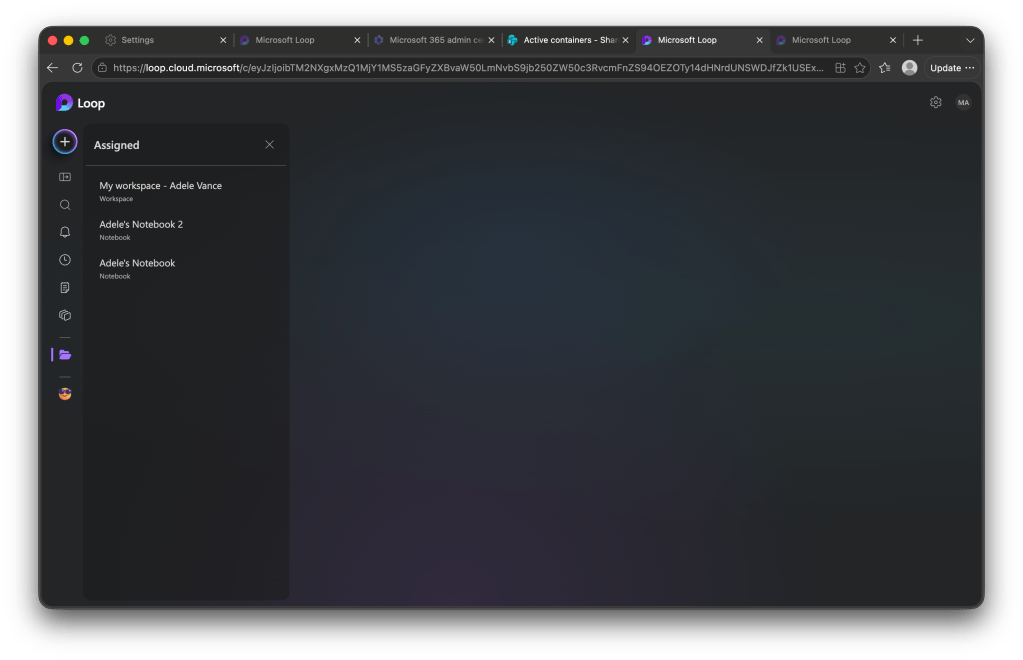
For the user taking ownership, in this case, the admin of the demo tenant, the only way to access the container resources is to use the mentioned URL; the notebook or workspace won’t appear as selectable in the UI, so we take this URL and paste in another browser tab:
Conclusion
Permanently reassigning a departed user’s container to a new owner is a welcome addition to the governance options for Copilot Notebooks and Loop containers, it’s a capability OneDrive itself doesn’t offer. And as Copilot Notebooks keep gaining ground in day-to-day Microsoft 365 Copilot workflows, it wouldn’t be surprising to see Microsoft eventually add a dedicated wizard for this in the SharePoint Admin Center, rather than requiring PowerShell.
Time will tell which option organizations lean toward: reassigning ownership outright, or appointing a custodian who can review and copy over what’s worth preserving before the container is deleted. Each solves a different problem: one keeps the container (and its history) alive under a new owner, the other keeps things simple but demands someone actually do the copying before the retention clock runs out.


Leave a Reply