Introduction
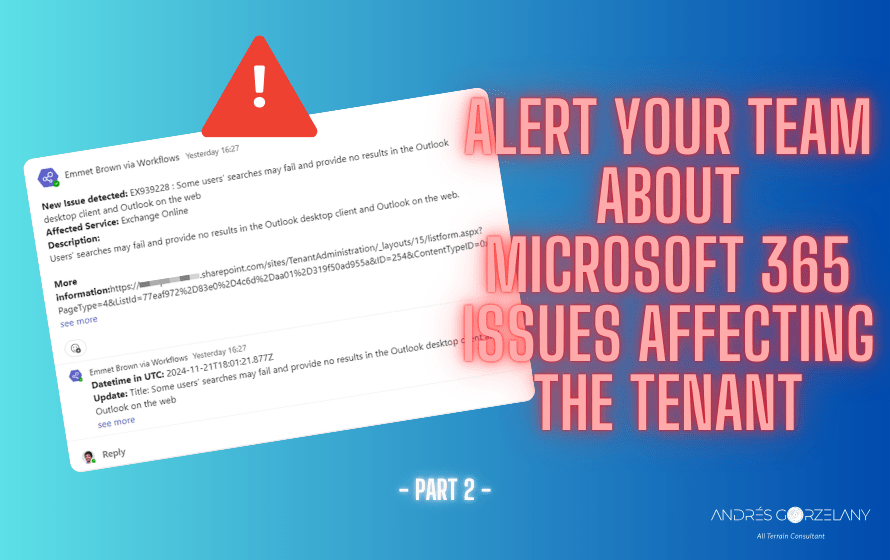
In the first part of these series, we reviewed the goal around the solution and the first part of actions required for it using a Power Automate Flow, an entra registered app and the Service Health API, in this 2nd part, we continue with the required actions for the flow.
Apply to each
The following actions (and the rest of the flow) are under an Apply To each action
Parse Service Names (Parse JSON action)

Let’s parse the service names as a JSON to handle them better in the next step.
Obtain issues per service (HTTP Action)
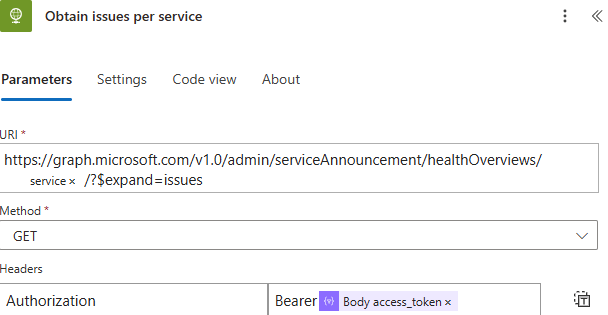
In this action, we query the Service Health API to get all the issues per service.
Parse issues (Parse JSON action)
Content: Body
No screenshot for this one as the schema is pretty large
{
    "type": "object",
    "properties": {
        "@@odata.context": {
            "type": "string"
        },
        "service": {
            "type": "string"
        },
        "status": {
            "type": "string"
        },
        "id": {
            "type": "string"
        },
        "issues@odata.context": {
            "type": "string"
        },
        "issues": {
            "type": "array",
            "items": {
                "type": "object",
                "properties": {
                    "startDateTime": {
                        "type": "string"
                    },
                    "endDateTime": {
                        "type": [
                            "string",
                            "null"
                        ]
                    },
                    "lastModifiedDateTime": {
                        "type": "string"
                    },
                    "title": {
                        "type": "string"
                    },
                    "id": {
                        "type": "string"
                    },
                    "impactDescription": {
                        "type": "string"
                    },
                    "classification": {
                        "type": "string"
                    },
                    "origin": {
                        "type": "string"
                    },
                    "status": {
                        "type": "string"
                    },
                    "service": {
                        "type": "string"
                    },
                    "feature": {
                        "type": "string"
                    },
                    "featureGroup": {
                        "type": "string"
                    },
                    "isResolved": {
                        "type": "boolean"
                    },
                    "details": {
                        "type": "array"
                    },
                    "posts": {
                        "type": "array",
                        "items": {
                            "type": "object",
                            "properties": {
                                "createdDateTime": {
                                    "type": "string"
                                },
                                "postType": {
                                    "type": "string"
                                },
                                "description": {
                                    "type": "object",
                                    "properties": {
                                        "contentType": {
                                            "type": "string"
                                        },
                                        "content": {
                                            "type": "string"
                                        }
                                    }
                                }
                            },
                            "required": [
                                "createdDateTime",
                                "postType",
                                "description"
                            ]
                        }
                    }
                },
                "required": [
                    "startDateTime",
                    "endDateTime",
                    "lastModifiedDateTime",
                    "title",
                    "id",
                    "impactDescription",
                    "classification",
                    "origin",
                    "status",
                    "service",
                    "feature",
                    "featureGroup",
                    "isResolved",
                    "details",
                    "posts"
                ]
            }
        }
    }
}
Filter Issues by not resolved (Filter array action)

The previous API Call returns also resolved issues; we are not interested on those for now, so we need to filter them out with this action.
How are we doing so far?

For each
Add a for each loop selecting Body from previous step as input (You can see it in the previous screenshot)
Get items (Get items from a SharePoint list action)
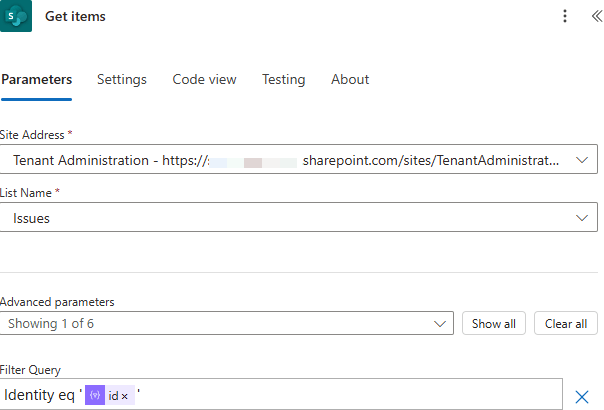
This action requires to have pre-created a SharePoint list that will serve as our “database” for the service health issues, the columns I have defined on this list are as follows:

Why I am storing the information on a Microsoft Lists?
Essentially, to pre-stage it before sending it to Teams, and I am also thinking on sending or making Copilot consume it (I expect more on this to come in the future), for now, I am not making any transformation to the information once it arrives to the list.
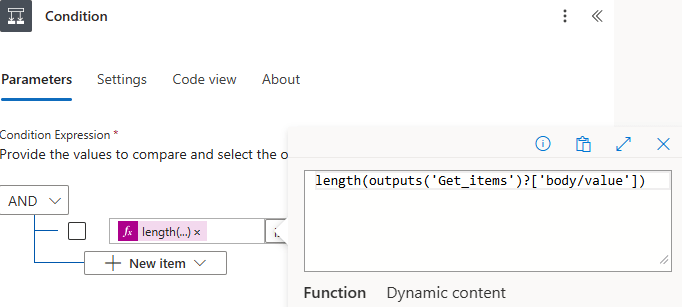
So, with that action, I will check if the MC id is already on that list to decide to store it there or not.
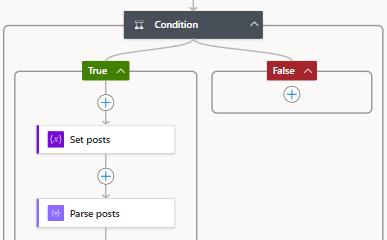
Condition control
Spoiler: Next part
In the third and last part (for now) of these series, we will create the list item with the service health issue and publish it to a channel in Microsoft Teams, stay tuned!
 Andrés Gorzelany
Leave a reply to Alert your team about Microsoft 365 issues affecting the tenant – Part 3 – Andrés Gorzelany Cancel reply