Introduction
I needed to understand what service created a specific SharePoint site, searching, I found this great blog post from Dan titled Finding out what service created a SharePoint site.
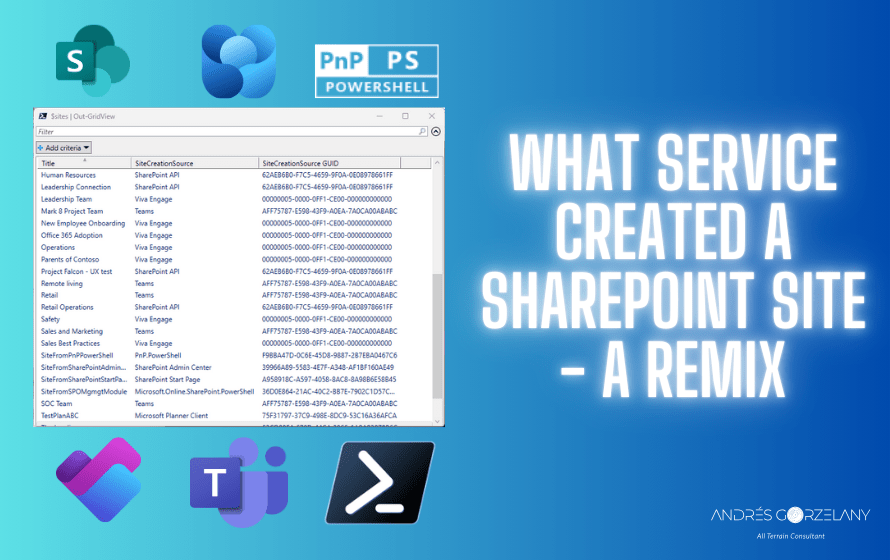
There, you will find a great PowerShell script that uses PnP PowerShell module to list the sites, GUIDs corresponding to the SiteCreationSource and some identified SiteCreateSource values, the reason of this post is that I did observe and identified some new GUIDs that I want to share here for anyone looking for the same information.
These GUIDs include:
- Microsoft Planner client
- Teams
- Viva Engage
- SharePoint API
- SharePoint Admin Center
- SharePoint Start Page
- Microsoft.Online.SharePoint.PowerShell
- PnP.PowerShell (In this case, it is the GUID of the registered Entra ID app, replace it in the code snippet to match your environment)
The sources
$sources = @{
 "75f31797-37c9-498e-8dc9-53c16a36afca" = "Microsoft Planner Client"
 "09ABBDFD-ED23-44EE-A2D9-A627AA1C90F3" = "ProjectWorkManagement"
 "AFF75787-E598-43F9-A0EA-7A0CA00ABABC" = "Teams"
 "00000005-0000-0FF1-CE00-000000000000" = "Viva Engage"
 "62AEB6B0-F7C5-4659-9F0A-0E08978661FF" = "SharePoint API"
 "39966A89-5583-4E7F-A348-AF1BF160AE49" = "SharePoint Admin Center"
 "A958918C-A597-4058-8AC8-8A98B6E58B45" = "SharePoint Start Page"
 "36D0E864-21AC-40C2-BB7E-7902C1D57C4A" = "Microsoft.Online.SharePoint.PowerShell"
 "F9BBA47D-0C6E-45D8-9887-2B7EBA0467C6" = "PnP.PowerShell"
}
Sample result

Final words… for now
This post wouldn’t be possible without this great solution by Dan, so go and follow his blog.
If you find another GUID not listed, please share it and I’ll update it.
 Andrés Gorzelany
Leave a comment